
What Is Journaling? Benefits, How to Start, and How to Keep Going
Journaling is the habit of writing down your thoughts and feelings as they are. This guide covers what research suggests about its benefits, how to start with a paper notebook, prompts for days when nothing comes to mind, tips for keeping the habit, and how to begin with an app.
Emopi Editorial Team
Journaling is the habit of writing down what is on your mind — thoughts and feelings, without polishing them. Sometimes called “meditation on paper,” it has no single required format.
This article walks through the basics: what journaling is, what you can expect from it, how to start with a paper notebook, and how to keep going. You can begin with paper or with an app — in the second half, we show what starting with an app looks like, using Emopi Diary as the example.
Journaling vs. keeping a diary
Journaling and diary-keeping are close cousins, but they center on different things.
| Centers on | Typical form | |
|---|---|---|
| Diary | What happened today | A record of events |
| Journaling | What you are thinking and feeling now | Writing your inner state out |
The line is soft, and that is fine. Writing about your day naturally drifts into how you felt about it, and vice versa. What matters is not writing well — it is getting what is in your head out into words. You can write for yourself, without worrying about grammar or typos.
What you can expect from journaling
Psychologists have studied structured writing and naming emotions. Those research tasks differ from keeping a freely written daily journal.
- Expressive writing: Psychologist James Pennebaker and colleagues reported an experiment on writing about emotionally significant experiences in 1986 (Pennebaker & Beall, 1986). We cite it as an early example of expressive-writing research. A later meta-analysis of 146 studies found a small, statistically significant average effect across measured outcomes (Frattaroli, 2006).
- Affect labeling: An experiment found reduced amygdala responses when participants labeled emotions in face images compared with other classification tasks (Lieberman et al., 2007). It did not establish that journaling reliably makes people feel calmer.
Average effects are small, and these studies did not test short everyday notes or Emopi Diary. In an experiment with recently separated adults, expressive writing was followed by more persistent distress than factual writing among some participants prone to rumination (Sbarra et al., 2013). If writing increases distress, stick to facts or take a break. Journaling is not a substitute for professional care.
The basics — on paper or in an app
There are no official rules. Here is an easy shape to start with:
- Loosely pick a time and place. Five minutes in the morning or before bed, attached to something you already do every day, can give you a cue to remember it.
- Write whatever comes to mind, in your own words. A list of words or a single line counts as journaling.
- Reread now and then. Looking over a few days at once surfaces patterns you would miss in the moment — “I’ve been tired lately,” “this topic keeps coming back.”
As for tools: a paper notebook gives you the physical pleasure of writing; a phone app is always with you. Pick whichever you will actually keep up. We compare the two in detail in our paper-vs-app guide.
Prompts for days when nothing comes to mind
A blank page can be intimidating. On those days, pick one prompt and start there:
- In one word, how do you feel right now?
- What moved you most today?
- What have you been turning over in your head lately?
- If you could thank yourself for one thing today, what would it be?
- What do you want tomorrow’s you to know?
Tips for keeping the habit
- Let one line be enough. “Tired today” still counts as a day you wrote. Staying able to write beats writing a lot.
- Anchor it to an existing routine. Right after your morning coffee, or right before bed — an existing routine can be a reminder to write.
- Give yourself something to look back on. A calendar or list view gives you a way to revisit what you wrote. Try it if looking back is part of what you want from a journal.
Starting with an app — how Emopi Diary works
From here, a look at what starting with an app can feel like, using Emopi Diary — the journal we build, designed to make writing as light as possible, together with AI. For AI journal apps in general — what changes and what to check before choosing one — see What is an AI journal app?
Start by jotting a few words
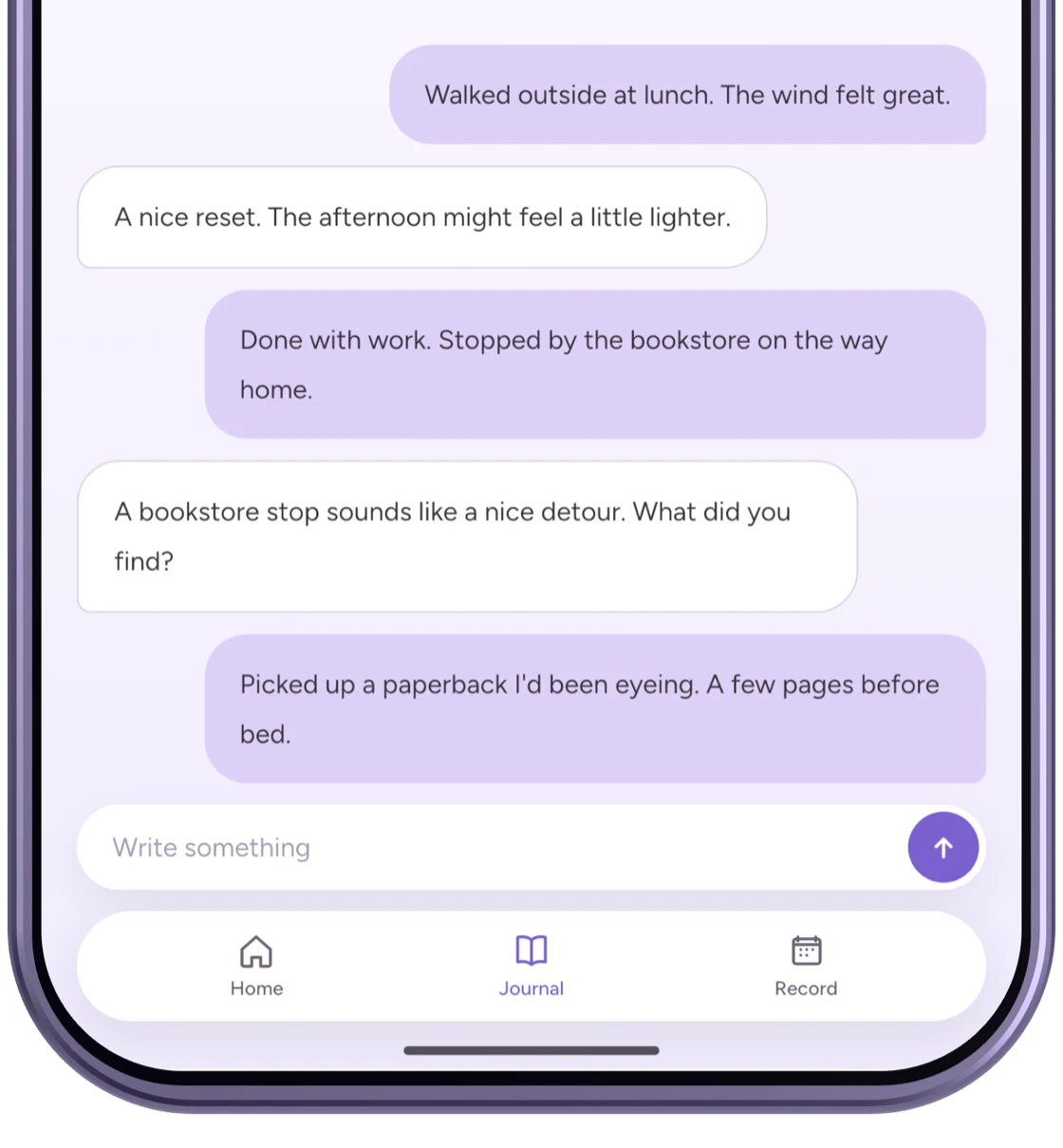
Sitting down to “write an entry” can feel heavy. In Emopi Diary, you just jot a few words whenever something comes to mind. The AI replies to each one, so it feels less like talking to yourself and more like having a listener.
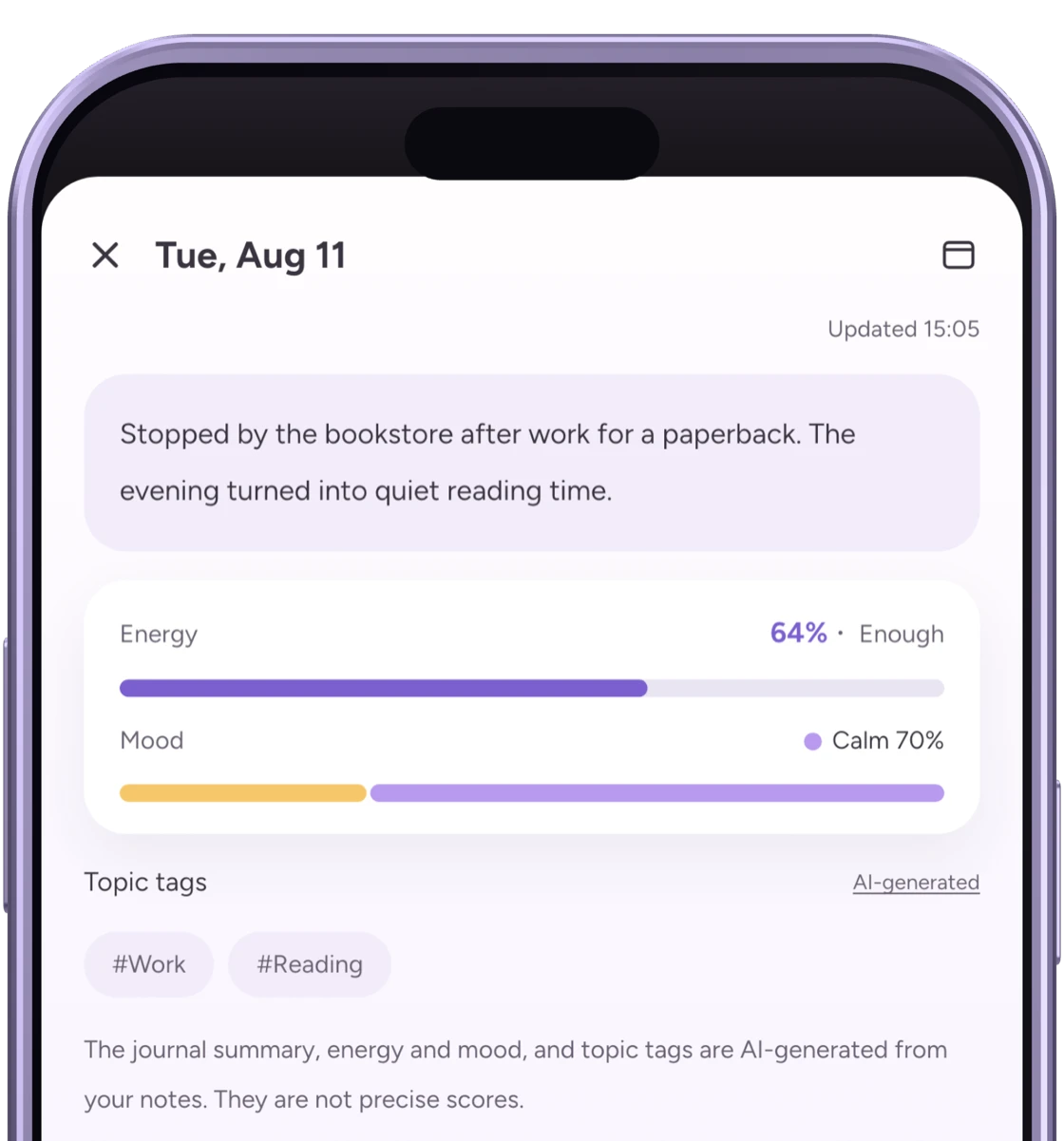
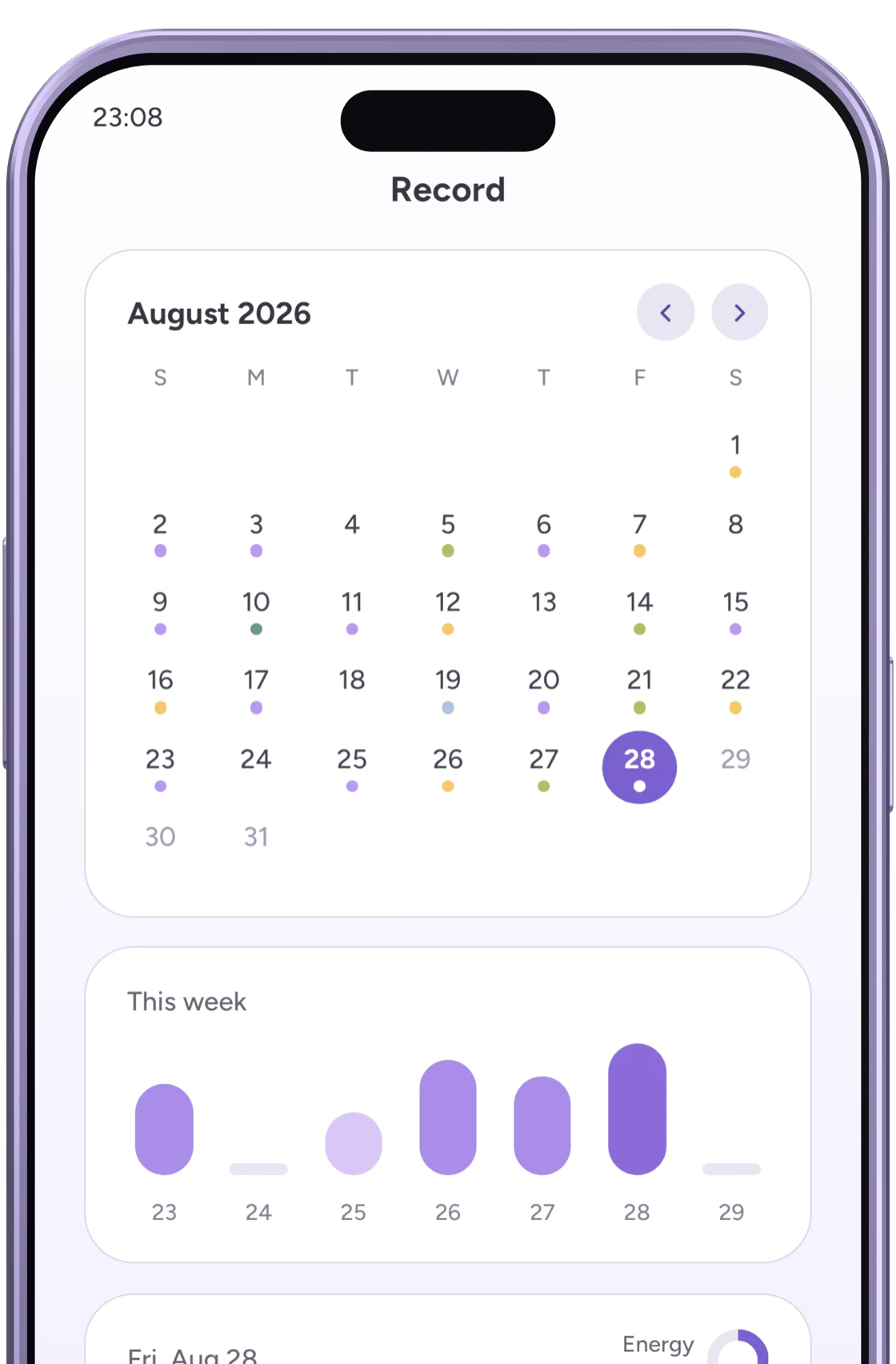
Figures are illustrative recreations. Displayed content and AI replies are examples; actual screens and outputs may differ.
Your notes become today’s entry
Scattered notes are hard to reread — so Emopi Diary gathers the day’s notes into today’s entry, adding suggested mood labels and topic tags automatically. Splitting “writing” from “shaping it into something rereadable” is the biggest difference from a paper notebook.
The longer you keep it, the more you see
The records tab shows mood dots on a calendar and your energy across the week, so rereading is built in from day one — the third habit tip, handled by the app. For more on the habit of mood tracking itself, see how to start mood tracking.
A journal is a deeply personal record, so Emopi Diary stores journal text encrypted. You can read more about our approach on the privacy and data protection page.
Wrapping up
- Journaling is the habit of writing thoughts and feelings out as they are. Its job is getting things out of your head, not writing well.
- Expressive writing and affect labeling have been studied under specific conditions. Their results do not establish benefits for every kind of journal or app.
- Loosely pick a time, start with one line, and give yourself a way to look back.
- Paper works, and so do apps. If “jot a few words and it becomes a journal” sounds like your speed, take a look at Emopi Diary.
Related articles


Emopi Diary
A journal you write with AI
Jot down a few words whenever something comes to mind, and AI shapes them into today’s entry — with mood, energy, and topic tags added automatically. Coming soon to iOS / Android.