
Getting Started with Emopi Diary: From First Note to First Look Back
The official starter guide to Emopi Diary, the journal you write with AI: creating an account, jotting notes, how today’s entry takes shape with mood and energy, and looking back on the records tab.
Emopi Editorial Team
Emopi Diary is a journal you write with AI. This official guide walks through your first week, step by step.
The whole flow is four steps: ① create an account → ② jot notes → ③ today’s entry takes shape → ④ look back.
Step 1: Create an account
Open the app and tap “Get started.” You can continue with Apple, Google, or an email address. With email, choose a password, then confirm your address with the code we send.
Next, review what data is sent to the AI and agree to its use before starting your journal. AI replies, summaries, and mood and energy estimates are generated within your usage allowance.
Step 2: Jot notes
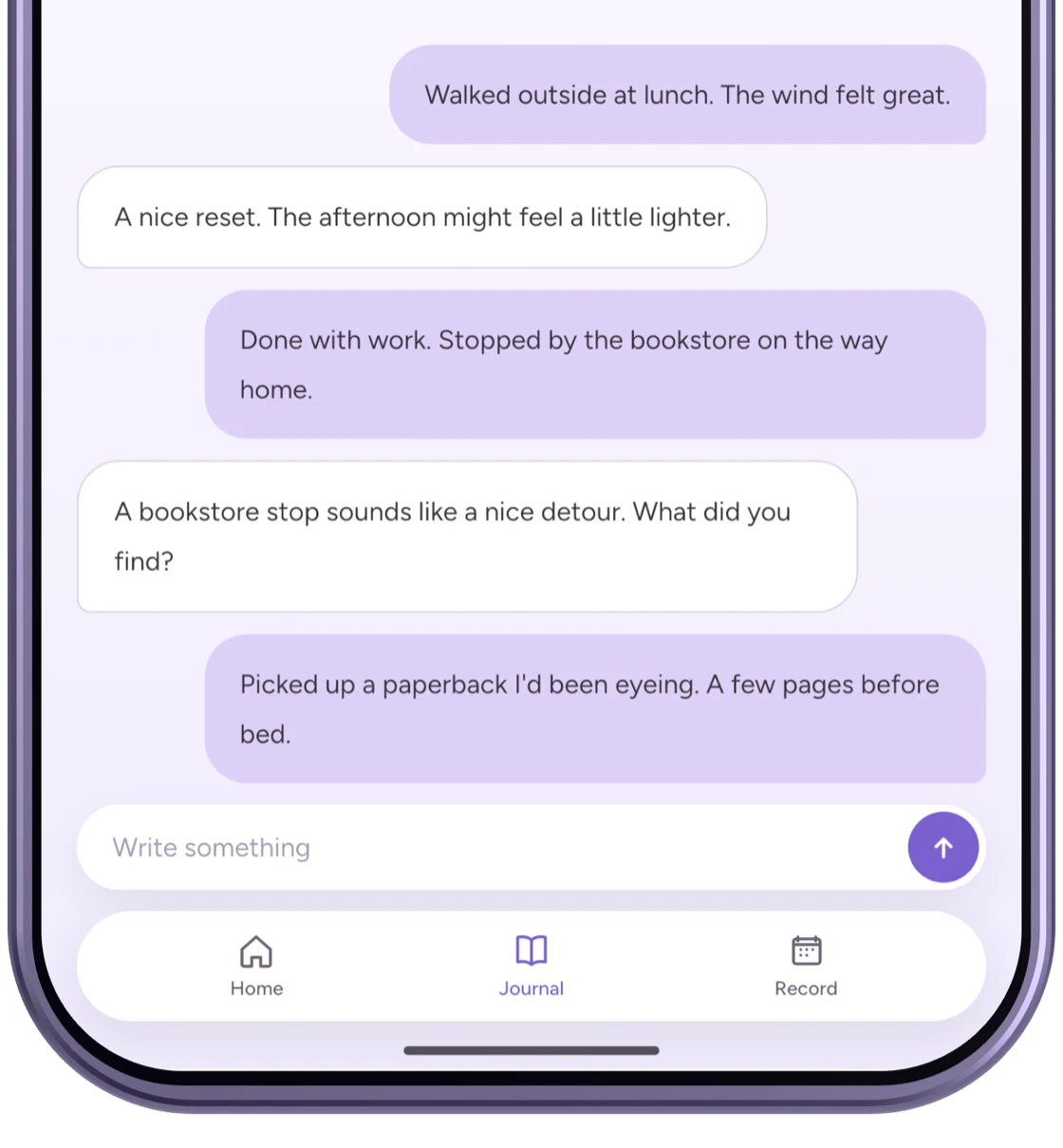
The Journal tab holds today’s page. Short notes are enough to get started.
“Took a walk at lunch, the breeze felt great.” “Work’s done, made it to the bookstore on the way home.” Whenever something comes to mind, one line. The AI replies to each note, so it feels less like talking to yourself and more like having a listener.
Images marked “Actual app UI” use fictional test data; AI replies and summaries are examples. Other figures are illustrative recreations. Screens may vary by version.
Step 3: Today’s entry takes shape
The AI gathers the day’s notes into today’s entry, with these added automatically:
The summary updates as you write. Mood and energy are estimates from your words, not a diagnosis or a physical measurement.
- A summary: your notes, shaped into a rereadable entry
- Mood: a blend of feeling words with proportions (e.g., 52% calm, 30% happy)
- Energy: today’s reserves (0–100%)
- Topic tags: the day’s topics, like #work #reading
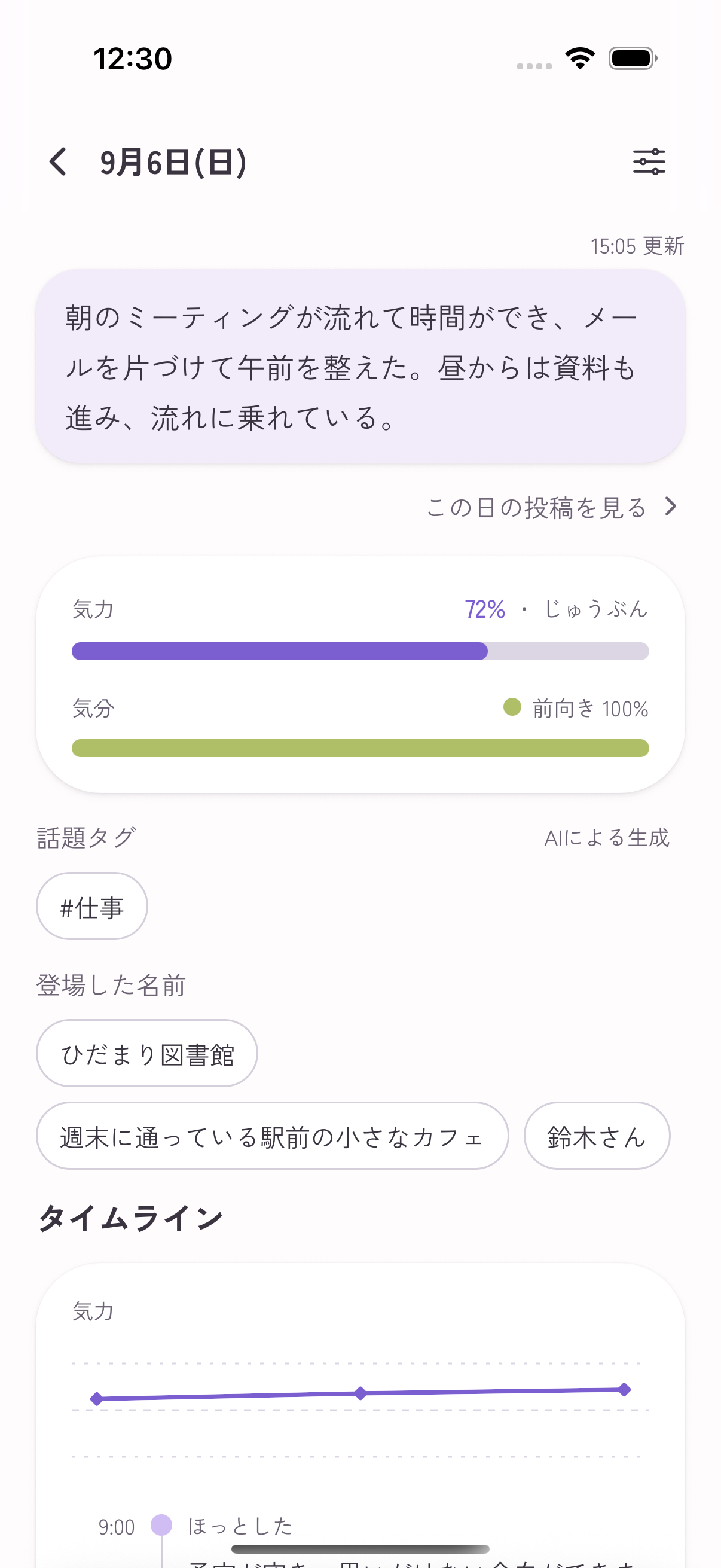
If the suggested mood misses how the day actually felt, adjust it from the feeling-word wheel. The AI’s read is a draft; your sense is the answer.
Step 4: Look back
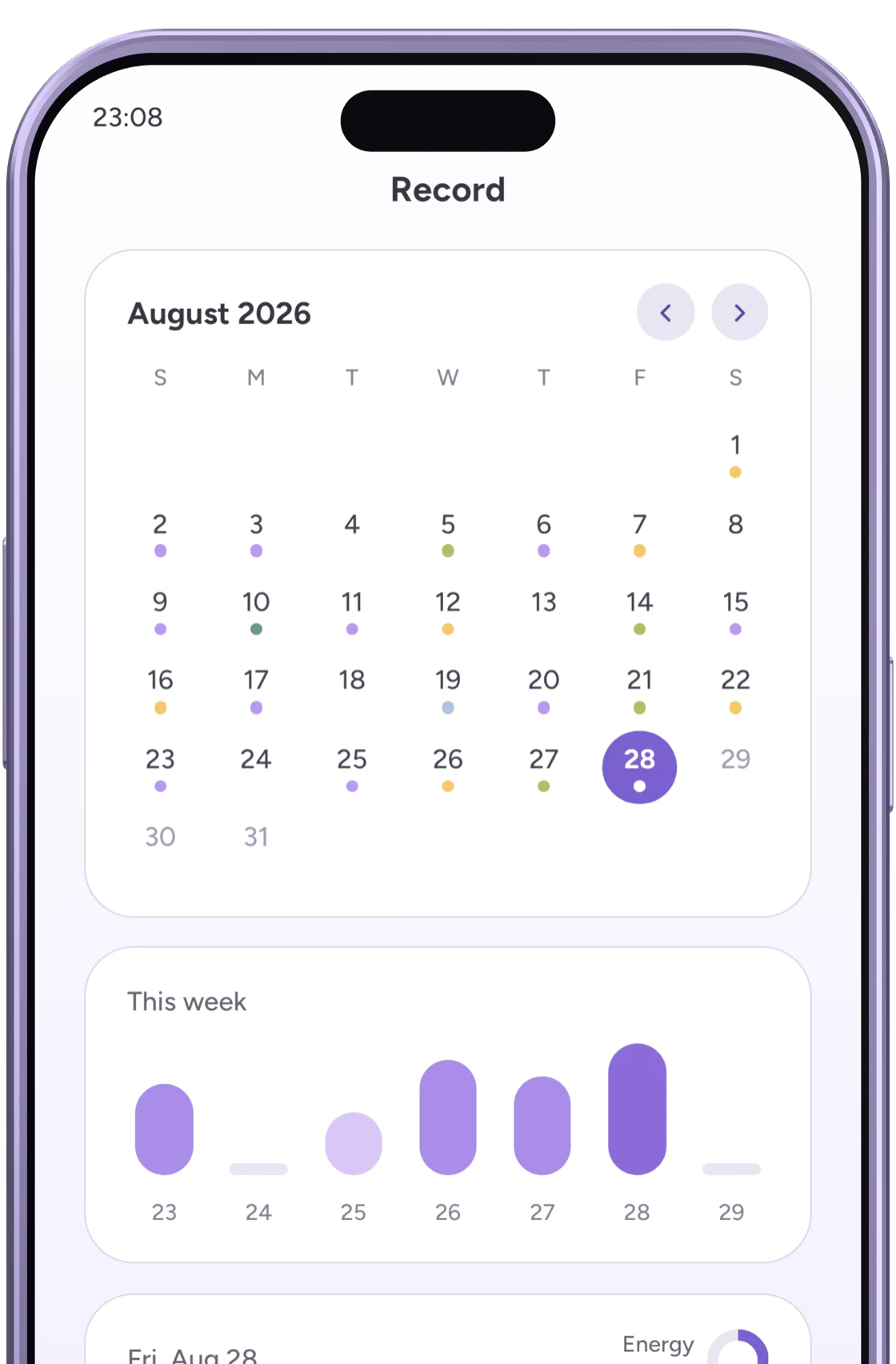
On the Records tab, daily moods settle onto the calendar as dots and weekly energy becomes a chart. Once a few days accumulate, take a look — “I’ve been doing well lately,” “I dip late in the week.” The records may help you notice changes. They do not establish a cause, and you do not need to find a pattern in every week.
Writing with peace of mind
A journal is deeply personal. Emopi Diary encrypts journal text — your notes and summaries — with a dedicated key managed separately from the database before storing it. The privacy and data protection page explains how your data is handled.
This protects text in storage; it is not end-to-end encryption. The server may decrypt text to provide features and operate the service safely.
If the same account already has connections in Emopi, status from days written in Diary follows those Emopi sharing settings too. Journal text is not shared. Open the day’s sharing settings in Emopi if you want to keep that status private. See what your partner sees.
Common questions
- What should I write? — Events, moods, anything. When in doubt, start from “one word for how I feel right now.” More prompts in our journaling guide.
- What if I miss days? — Missed days are fine; the record simply continues. Tips in keeping a journal going.
- What if I want to share with someone? — When you want to share how you are doing with someone you care about, there is the sister app Emopi. The differences are covered in our comparison guide.
Wrapping up
- Four steps: create an account → jot notes → the AI shapes today’s entry → look back on Records.
- Mood and energy are recorded automatically, and the read is always yours to adjust.
- Journal text is stored encrypted. If you also use Emopi, check your status-sharing settings.
Related articles


Emopi Diary
A journal you write with AI
Jot down a few words whenever something comes to mind, and AI shapes them into today’s entry — with mood, energy, and topic tags added automatically. Coming soon to iOS / Android.