
What Your Partner Sees in Emopi — and What Stays Private
The official guide to sharing in Emopi: journal text never travels, only the status you chose to share does, and the sharing scope is yours to change at any time.
Emopi Editorial Team
For an app that handles feelings, we believe the most important question is: “how much can they see?” As long as that worry lingers, nobody writes the honest version.
This guide lays out, officially and plainly, what your partner sees — and what they never do — once you connect in Emopi.
The principle: the journal is yours; only your status travels
Emopi’s structure compresses into one line:
You write a journal for yourself. What reaches your partner is only the “status” you chose to share.
Your journal text, your notes, and your exchanges with the AI are never shared through Emopi. What travels is the read distilled from them — mood and energy. That is your status.
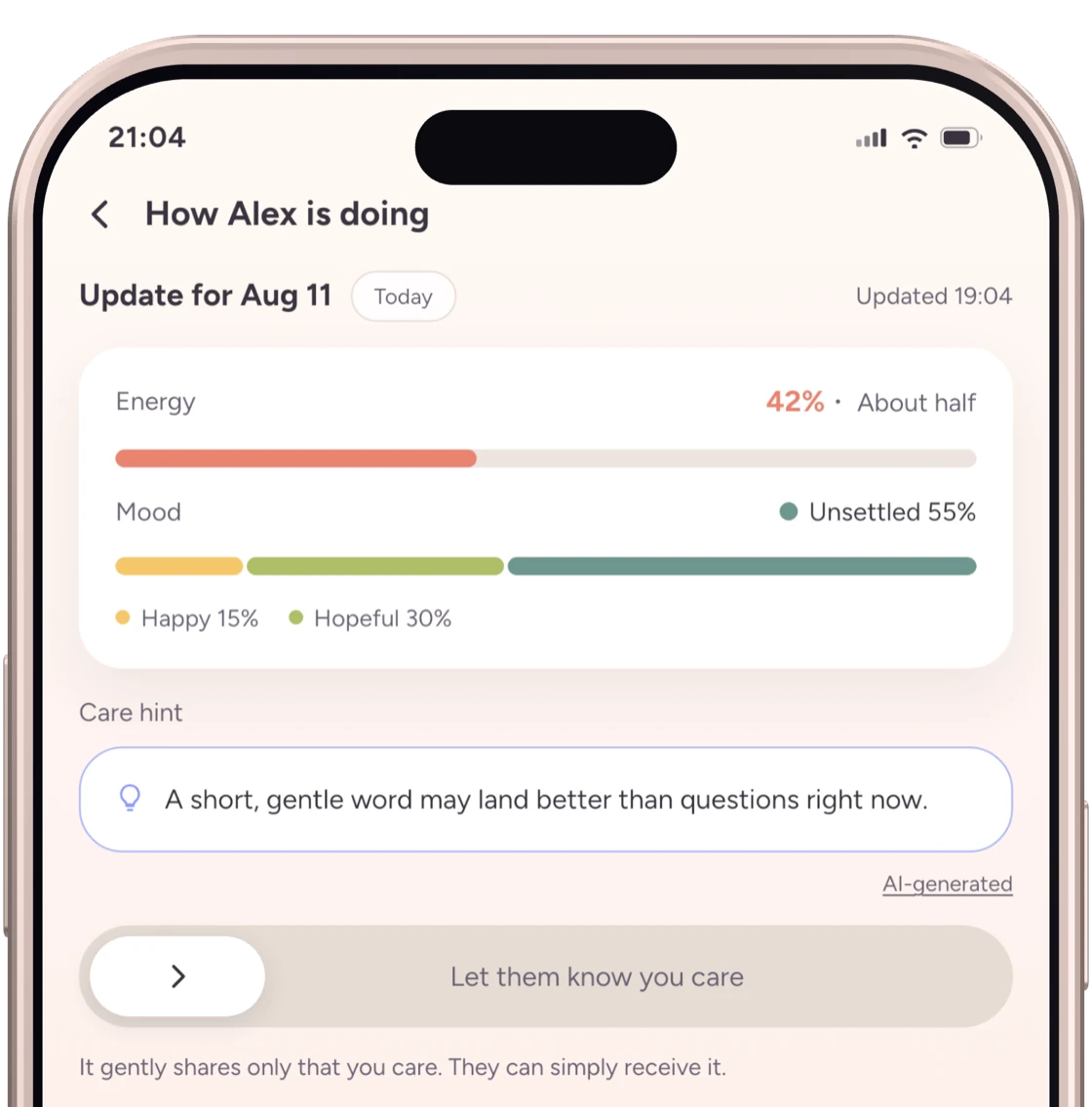
What your partner sees
| Item | What it is | Notes |
|---|---|---|
| Mood | A blend of feeling words with proportions (e.g., 60% calm) | Can be excluded from sharing |
| Energy | Today’s reserves (0–100%) | Can be excluded from sharing |
| Care hints | A one-line AI suggestion on how to be with you today | An Emopi Plus feature — also an item you control |
Care hints are available when either person has Emopi Plus and mood, energy, and care-hint sharing are all enabled. A hint is an AI suggestion, not a statement of what the person wants. Ask them when you are unsure.
Images marked “Actual app UI” use fictional test data; AI replies and summaries are examples. Other figures are illustrative recreations. Screens may vary by version.
What your partner never sees
- Journal text — neither your notes nor the AI’s summaries
- Your exchanges with the AI
- Items you excluded (sharing mood but not energy is a valid choice)
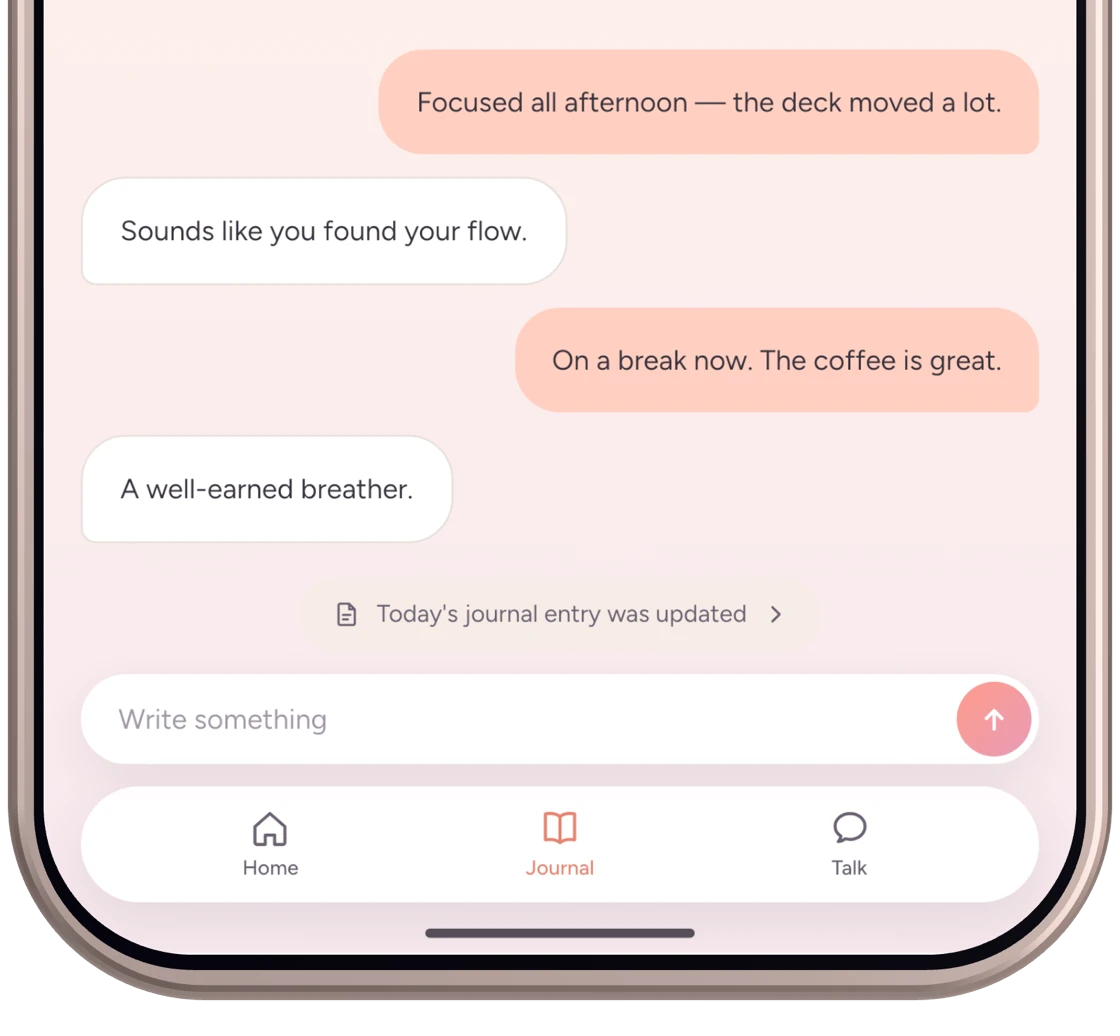
If they ask “what did you write yesterday?”, showing them is your choice to make. The app never makes it for you.
The scope is yours, at any time
- When connecting: the approval screen confirms which items will be shared before the connection is made.
- After connecting: which items are visible can be re-chosen, item by item, at any time.
- For a single day: per-day settings let you adjust sharing for specific days.
Mood, energy, and care-hint switches start on in the approval screen. Review them and turn off anything you do not want to share before approving. A free connection does not receive care hints until the Plus conditions are met, even if the hint switch is on.
Narrowing sharing does not send a notification, though your partner may notice that visible items have changed. Sharing should stay a moment-to-moment choice, not a promise.
For how sharing scope can fit other relationships, see Emopi for adult family members living apart and Emopi for close friends.
Days from before you connected: your call, on the approval screen
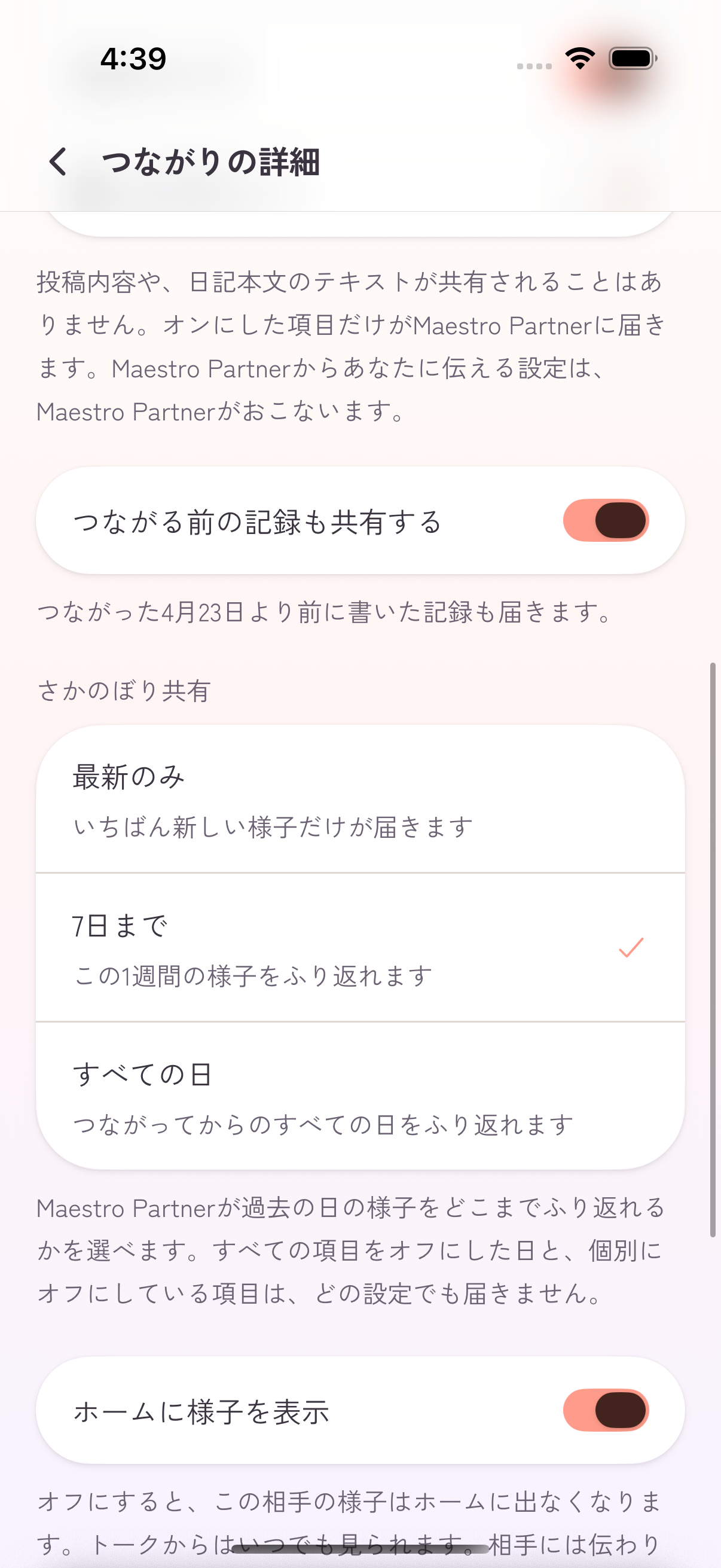
What travels after connecting is the status of the items you turned on. Whether days written before the connection are included is its own control — “Share what you wrote before connecting” on the approval screen, on by default. Turn it off at approval time if you would rather start fresh; you can change it later too.
How far back they can look — the past week and beyond — is a separate setting (“Shared history”), gated to Emopi Plus and, like everything else, scoped by your choice. For what each plan includes, see Emopi pricing explained.
If you also use Emopi Diary
Both apps use the journal and sharing settings of the same account. Status from days written in Diary is also shared according to your settings while an Emopi connection is active. Diary has no partner-sharing screen, but switching apps does not stop sharing. Change the day’s sharing settings in Emopi if you want to keep that status private. Journal text stays private in either app.
How the text itself is protected
Journal text is encrypted with a dedicated key before storage. This is encryption at rest, not end-to-end encryption: the server may decrypt it to provide journal features and operate safely. Text is sent to AI features with your consent.
Talk messages use end-to-end encryption once the E2E keys are ready. Earlier messages, or those sent before key setup, may instead use storage encryption that the server can decrypt. AI cannot read E2E Talk messages. If you request wording advice, the unsent text you choose to submit is sent to the AI for that advice. See privacy and data protection.
Wrapping up
- What travels is status only — mood, energy, and (on Plus) care hints. Journal text and AI exchanges never do.
- The scope is item-by-item and changeable anytime — including whether pre-connection days are shared, which is your own choice on the approval screen (on by default).
- Journal storage encryption and Talk end-to-end encryption are different protections; you can review what is sent to AI.
- Starting out? See Getting started with Emopi. The thinking behind this design also appears in our journal apps guide.
Related articles
Emopi
Share how you feel with the people you care about
Jot down a few words, and Emopi gathers them into a journal. Connect with someone you care about to share how you’re doing. Coming soon to iOS / Android.